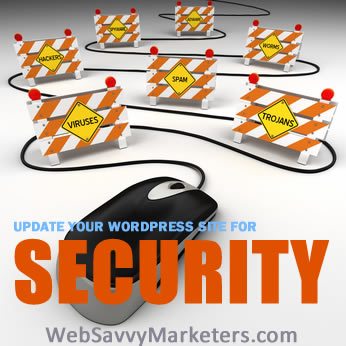
WordPress is a fantastic content management system and blogging platform, but like most popular open source software it can be vulnerable to certain malicious activities–especially if your software, theme and plug-ins are not kept up to date and running the most current version.
What kind of malicious activities might occur?
- Someone could install files with malicious scripts within your WordPress installation that send out SPAM. This could lead to an exceptional load on the hosting server causing it to slow down website performance and the volume of SPAM can cause the mail server to be blacklisted. The blacklist could prevent other folks from receiving your emails that you send causing you to lose business. And it can be time-consuming to get a server off a blacklist.
- A malicious script redirects your site to another (SPAMMY) location causing you to lose business, damage your reputation and hurt your search engine rank.
- Any number of other mean-spirited activities the hackers decide to wreak upon your site that will cause you to lose business, or your reputation or both.
It’s important to protect your website.
We’ve talked about WordPress security before (and will probably talk about it again). See No-Worries Website Security , More Password Hacking Methods and How to Stay Safe, How to Change Your WordPress Username, and How To Prevent Zombie Hack of Your WordPress Site, and 6 Ways Your Site Is Hacked and What To Do About It for some previous posts.
There are many tools and plug-ins useful for keeping you site secure, but today we’re going to talk about managing WordPress updates. Let’s get started.
How to Manage Your WordPress Updates
WordPress makes it very easy to keep your website up to date. The most important thing to ensure is that you have a current and complete backup of your database and your files.
There are many ways to backup your website, but here are the easiest and most common.
- You can create a backup from your web hosting cPanel.
- There are backup plug-ins that you can install in your WordPress dashboard that will automatically backup your site at set intervals.
Once you ensure that you have a current backup, it’s very easy to complete the updates from within your dashboard. All updates for plug-ins, themes and WordPress versions will be noted under WordPress updates in your dashboard. Simply click the update links and in most cases the site will begin updating.
The Order of Operations
In my experience I find it best to start with the plug-ins and update all the plug-ins that have updates available. Once those have updates have completed, move on to the theme (see theme warning below) and update it, then update WordPress itself.
Theme Warning – Why it’s important to use child themes.
Ensure that your theme hasn’t been modified or your updated theme may not display your website the way you want it to look. We usually build websites with all the style modifications made to the child theme so it’s less likely to cause a problem when updating the theme.
OOPs! Something went wrong!!!
You’ve made your updates but now…
- Your website doesn’t look right – See theme warning above.
- You can’t even see your website and you see a “Fatal Error” message(s) instead.
Now what do you do?
Disable Plug-ins.
Sometimes a plug-in doesn’t play well with the current versions of WordPress. If that’s the case, it might actually make your website unavailable. Instead of seeing your website, you’ll see a fatal error message. So, if you’re seeing a fatal error message, the first thing to do would be to disable all the plug-ins. Probably the easiest way to do that is to login to your cPanel and find your plug-ins directory and disable it. An easy way to disable it is just change the name on the plug-in folder. Use something like Disabled-plugins.
Did that fix it?
If yes, continue reading this section. If not, continue on to restore your website from the backup.
You’ve determined that your website works with plug-ins disabled so you know that one (or more) of the plug-ins caused the problem. You need your plug-ins so you’re going to enable them one by one to find out which plug-in caused the problem. To do that create a new folder in your cpanel called plugins (don’t get creative here – put it in the same location as the old plugins folder was located.) Copy over each plugin folder from the disabled-plugin folder to the plugin folder. Check after moving each plug-in to the active plugin folder to see if the website is still working. When the website breaks – you’ll have discovered which plug-in broke the website. Now you need to consider whether you really need that plug-in or not.
Restore your website from a backup.
Here’s where it’s important to have you backup database and files.
In your cpanel:
- Overwrite or restore your WordPress files with the backup files you saved.
- Restore the old database you saved or create a new database and import your backup database into the new database. Change the wp-config file to point to the corrected database.
Your website should now be restored to the state it was in prior to trying to update it. So now you’re back to square one with a working but outdated WordPress installation. Chances are during the restoration you discovered if it was a outdated plug-in or outdated theme that created the havoc during updates. It’s likely you’ll want to replace the plug-in and/or theme with something that is compatible with the current WordPress version.