Our client had a process that they wanted to show but could not accomplish through straight video. We were able to combine video, photos and 2-D animation to fulfill their need. Adding copy and voice over allowed them to highlight the points and products most pertinent to their customers. Although the piece was created to use at meetings and sales presentations, the addition of music allowed them to use it at trade shows as well. View the presentation
SEO is Not a Silver Bullet to Sales
This morning I came across a post offering the top things not to do when optimizing your site for Google search. See “Search engine optimization Elite Review On Google Prime ten NoNo’s“ The points are all valid and a well optimized site should follow all the rules if they want to have their site rank as high as possible. The problem I see with many customers is their laser-sharp focus on getting a good search engine rank while neglecting other marketing and possibly even the website itself.
This hyper-focus may have been enhanced by the glut of SEO experts telling people how vital SEO is to their success. But, web site owners would be wise to remember that the only thing good SEO will do is have your site show up in a site search. It’s not a silver bullet to sales. It will only improve the odds or bringing customers to your website. After that it’s up to you and your website to impress potential customers with amazing content–content that’s current, clear, accurate, informative, and attractively designed.
So while you’re reviewing SEO strategies (because I’m not discounting the effectiveness of a well-optimized site at getting people to the door) don’t forget to review your website. The stuff that customer’s actually see is as important as a good SEO strategy. Here’s a brief checklist of things you should be looking at:
- Is it clear (to the layperson) within seconds of landing on any page in your website what you’re selling?
- Is your phone number visible? On every page?
- Do you give people a reason to call you? Do you clearly state benefits of doing business with you?
- Is your navigation easy to follow?
- Are your markets clearing defined. Do you provide market specific content for different market segments?
- Do you update your content with current information?
- Does your site design look professional? Does it look current or dated? Does it show well on mobile devices?
- Is your site design (colors, typography, logos, images) consistent with your brand?
- If you have a shopping cart, is the cart secure? Are products clearly displayed and identified?
- Are customer service policies, shipping methods, return policies, privacy policies in place.
- Do you provide a physical location and multiple ways for people to contact you?
- Are you using social media sites, like Facebook, Twitter, LinkedIn and others that are appropriate for your markets?
Always focus on building a website that benefits your clients and potential clients. If you keep that in mind as you optimize your site and your content you may find that customers are not only finding you, but they’re also buying from you. And that’s really the ultimate goal isn’t it?
Event CD
Our client was hosting a large event that had more than 30 different presenters. Although each attendee could choose which break-out session they wanted to go to, the client wanted to provide them with information on all the sessions and the presenters. Since the theme was “Going Green” the paper route was not an option. We created an interactive CD that allowed them to view all the information at their leisure. Note: the image used was provided by the client.
Trade Show & Sales CD
The client wanted a presentation that could be used as both a trade show presentation and also as a sales CD. We created an interactive CD with a high-end intro. The CD could be given out on sales calls and at shows. We also provided the client with a show master that would loop the introduction until used to walk a customer/prospect through the rest of the CD. After a minute, if the presentation wasn’t used, it would go back to the looping introduction. View the presentation introduction
What I learned from Twitter this morning
It’s 6:49 am and I’ve been scanning my Twitter feed with CNN on the TV in the background.
I use Twitter to primarily follow web designers, application developers and SEO experts, with a small dose of news sources and random other hobbies and interests. By scanning through my Twitter feed I learn of new tools and techniques in my industry.
Here’s what I’ve learned from Twitter:
- From @smashingmag: How other digital designers are using Fireworks – (one of my favorite tools). In reviewing this post I realize there are techniques I can try that will make me more efficient in my daily workflow. The post also made me want to upgrade to CS5.
- 10 reasons why business card size matters. Some interesting design samples — it’s always inspirational to look at other designer’s work.
- From @1stwebdesigner: 10 tips for designing better infographics. Insights into making a better bar graphes, pie charts, etc. Some good pointers.
- From @catswhocode a Black Cat Rescue Shelter in the Boston area. Black cats are less likely to be adopted. People are weird. Beautiful black cat featured available for adoption. Hope he finds a good home.
- From @ZarkoCompare – Link building guide from the Bliss SEO blog. (Found the color scheme of the website hard to read)
- From @Biz: Large, slow moving plane video. (okay this one was a waste of time)
- From @CNN: Senate blocks vote on jobs bill
- From @CNNMoney: Foreign buyers scooping up US homes.
Here’s what been on TV this morning:
Gadhafi’s dead, Gadhafi’s Dead, Gadhafi’s dead… Jackson’s doc on trial. 7 billionth baby
Who do you follow? What’s in your Twitter feed?
Do a Little House Cleaning Before You Invite Guests
Most of us wouldn’t invite people into our homes unless it was clean. Well the same can be said for a social media campaign. If you’re planning on a campaign to get fans, communicate to your customers/prospects or announce a special promotion, be sure that all the tools you’re using are up to par.
I recently had a customer who wanted to get more fans on their FaceBook page and then drive them to their website. The problem was that they hadn’t finished creating a FaceBook profile and their site was sorely in need of an update. We worked with them to update these tools before the social media campaign to ensure the impression they wanted to leave was consistent wherever the viewer went.
Here are some pointers when planning your on-line campaign…
Website
- Make sure it’s easy to contact you – a phone number up front would be ideal
- Provide good content that your “audience” would be interested in
- Make sure the navigation is clear and information can be easily found
- Use imagery that gives the impression you’re going for – this applies to design and photos
- Update, update, update – give people a reason to return to your site
Social Media Page (Facebook, Linked-In, etc.)
- Create a company page to separate your personal page from your business
- Make sure your page reflects the rest of your branding
- Keep communications professional
- Don’t sell at people – establish yourself as an expert or give them an incentive to try out your product or service
- Update, update, update – give them a reason to become a fan or follower
The bottom line…before you invite people to “like you” make sure there’s something to like.
What is a QR code?
Have you seen the QR Codes popping up everywhere? There’s even one on my bank statement. Do you know what they are? How to use them or how to get one?
According to Wikepedia and other online sources, QR (Quick Response) Codes were developed for tracking parts in Japanese auto industry. But in recent years the codes have seen widespread use for marketing products and businesses.
How does it work? Smartphone users scan the code and have instant access to your website, contact information or other information. You can create a QR code at a number of online sources and it can contain, a url, phone number, text or SMS. To read it, a smartphone with a bar code reader is required. I downloaded the free app called Quickcode for my Android. When I scan a code containing a URL, I have several options. I can go directly to the website, bookmark the website, send the address to someone via email, or post the address to Facebook or Twitter. (Remember to optimize your website design for smartphones if you use QR codes to send folks to your website.) If the code were a phone number, I could call the number or save to my contacts. Or the code could be a text message that would be instantly readable.
Here are a couple of websites where you can create your code:
You can also create a code with a graphic – like the one to the right…
So how might you use this QR codes in your marketing?
- Put it on print ads and send folks directly to a product page where they can purchase a specific item
- Put it on product packaging and link to installation or operation instructions
- Use on your business card, brochure, or advertising and map your store location
- Send to a location with a free download or coupon
- Send a text message
- Phone number
- Other ideas?
For more information about how to use QR codes, please see this excellent article http://www.socialmediaexaminer.com/how-qr-codes-can-grow-your-business/.
E-mail safety tips – avoid phishing scams
If you’re like me you’ve done business with at least one of these companies:
TiVo, Walgreens, US Bank, Disney, JPMorgan Chase, Capital One, Citi, Home Shopping Network, McKinsey & Company, Ritz-Carlton Rewards, Marriott Rewards, New York & Company, Brookstone, or The College Board.
These are just some of the companies whose email lists were exposed earlier this week, when Epsilon, the world’s largest email marketing firm was hacked. Fortunately, the security breach was limited to email addresses and names, and not more sensitive information, like credit card numbers, or social security numbers. But the breach warrants a reminder to be diligent in processing your email.
Imagine I’m a bad guy…
I’ve hacked into Epsilon and have obtained hundreds of thousands of email addresses for, let’s say, Capitol One customers. Now I just build a website page that looks like a Capitol One website page, create an email that looks like it originates from Capitol One, send it to the thousands of Capitol One clients and wait for innocent victims to log into my website with their Capitol Once username and password. Now I have all I need to log into the victim’s real account and steal their sensitive information, their reputation and their money.
It’s called Phishing. The practice where bad guys send emails claiming to be a a reputable company to unknowing customers in order to lure them into providing sensitive information.
We’ve all received phishing messages. They’re mixed in with the hundreds of emails many of us process daily. Processing email takes time and it’s a job that we may rush through, but it’s critical that we think before responding to email and be absolutely certain that the sender of the email is legitimate.
As you process your email, remember…
- Never click through to a website that claims it needs you to verify your password.
- Be suspicious of any email requesting your password or sensitive information. Reputable companies will not randomly email you asking for sensitive information.
- If you receive an email from a company and you’re not sure if it’s legitimate, do not follow the link in the website, instead go directly to the website you know to be real or call the company to inquire about the request.
More about Phishing at and about email safety in general at WiredSafety.org.
Web Savvy Marketers at the CT Business Expo
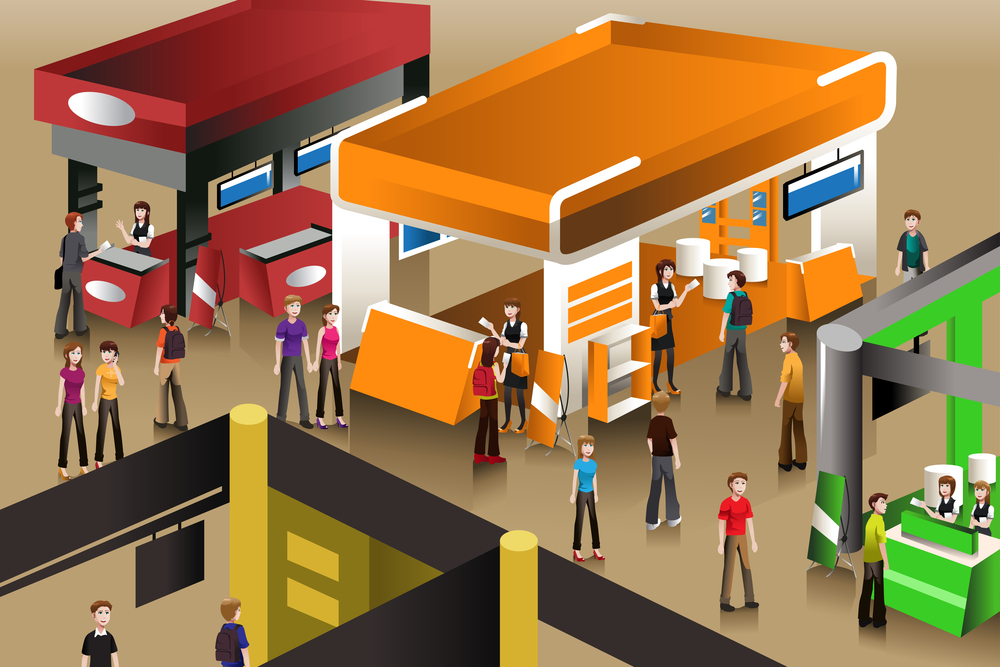
We will be at the CT Business Expo on June 9, 2011. This is an expo that The Hartford Business Journal holds each year. We did a walk through last year and were so impressed that we decided to exhibit this year. Come see us at booth #416. In addition, I’m on an educational panel called “Sales for Non-Sales People”. It’s a 45 minute interactive presentation to be held from 2:30-3:15. As many of you know, I enjoy selling – even the dreaded “cold call”. Stop by and see if we can inspire you to embrace your inner sales person.
I Gave Myself A Snow Day
Another snowy morning in Connecticut, another day of rescheduled meetings. As a result, I had two hours of morning time unaccounted for, which turned out to be a wonderful gift.
I made a cup of tea, built a fire in the fireplace (actually, I just turned on the gas jet), and settled in with Jane Pollak’s book Soul Proprietor: 101 Lessons from a Lifestyle Entrepreneur.
While reading “Lesson 79: Design your business to financially and mentally support your time off” something clicked for me. I enjoy being self-employed! I love it that I didn’t have to “go in to work” on a snowy morning, or call my boss to say I’d be there late because I’m such a chicken driver, or worry about making up the time. My business does support my time off–mentally, anyway. (The financial part is a different issue, but that’s for another time.)
So, thanks, Jane, for reminding me how much I like being a soul proprietor. And thanks, Ms. Weatherperson, for giving me the time to reflect and realize that. And thanks, Nancy, for having the courage to do it your own way.
How about you other sole/soul proprietors? What do you love about being self-employed?